
The Creators
"We are building the note-taking application students on Windows are missing. Having suffered through bad PDF workflows, infinite canvases and laggy apps ourselves, we know how NOT to do it.
Noteastic is what comes out when the note-taking app on Windows actually is the plan A, not plan B."

Dilan Boskan
The Developer

Lukas Koinig
The Designer
PDF Annotation
Import your slides. Annotate them. Export. Done.
Trust us when we say we did the basics right.
"I love the app and have been transitioning from OneNote to it, as I often have a lot of problems with OneNote, especially when exporting files."
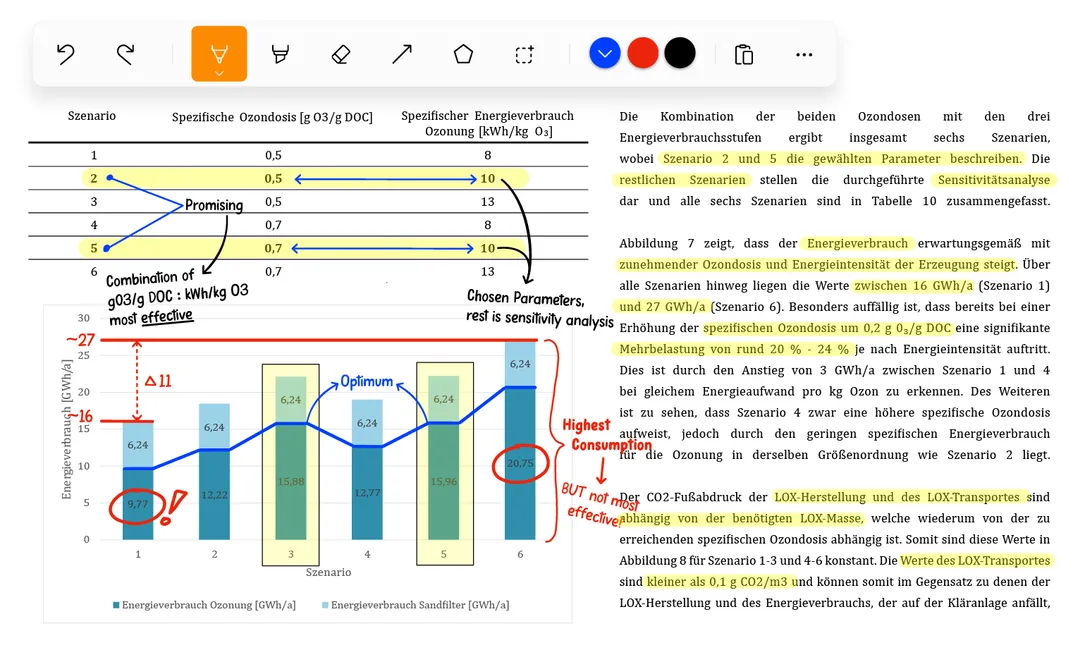
Windows Exclusive
The first-class experience on Windows
Zero latency, no lag, strong features, clean interface. This is why students are switching to Noteastic.
"I have tried many apps and none have come as close to my expectations as yours. Even the paid apps like GoodNotes — which was a great disappointment — and Inkodo all had very limiting functionality or missed the response time of the stylus. However Noteastic succeeded in all of these categories like it was nothing."
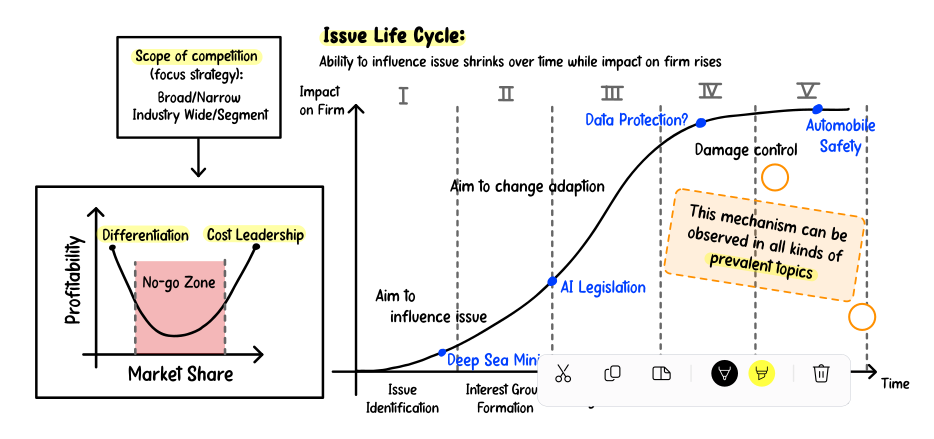
Features
Equipped with the tools you need
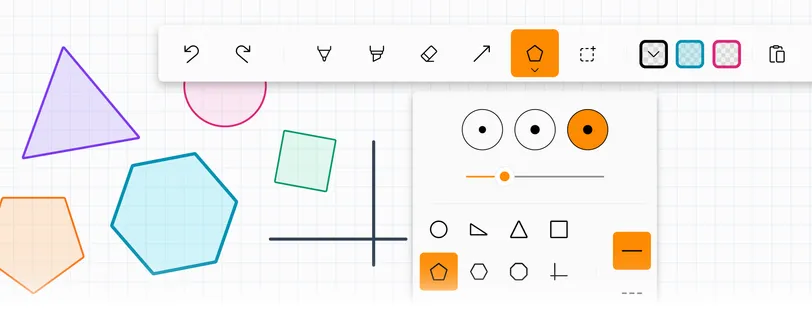
Inking Tools
Sketch, annotate, or highlight
If you can imagine it, you can draw it. Circle important sections, mark your mistakes, or simply draw a hexagon... because why not?
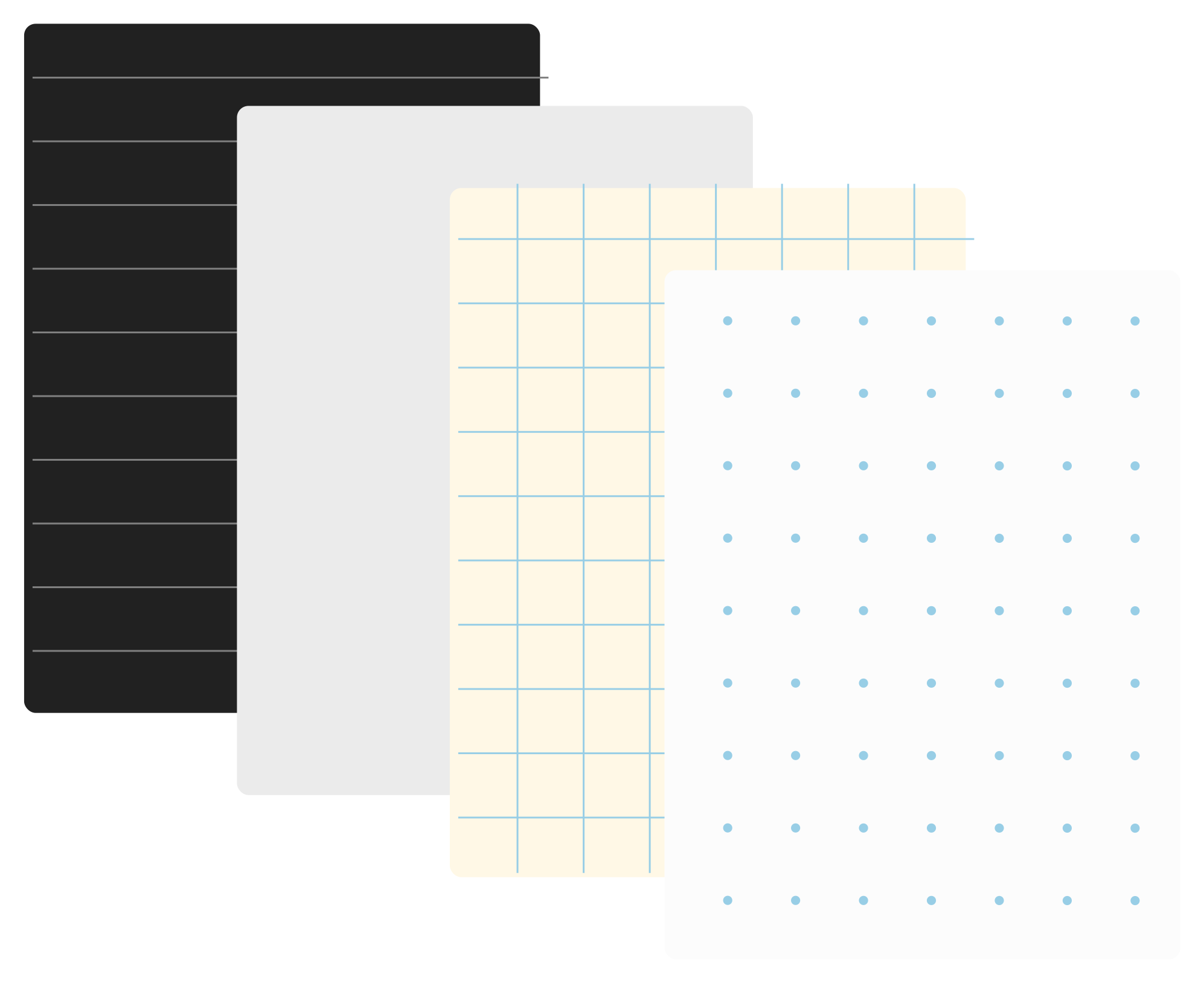
Extensive Backgrounds
Different papers and grids
Work on the paper that makes you feel right at home.
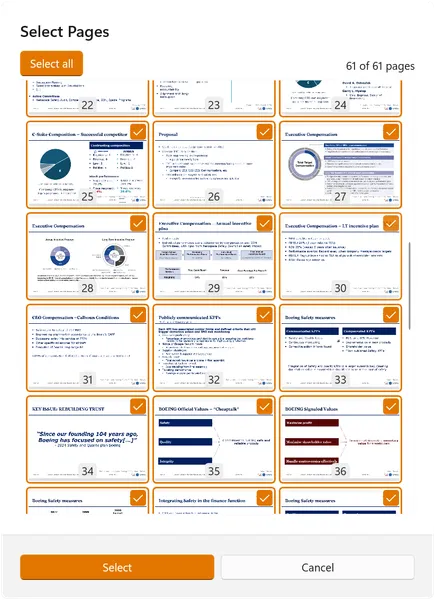
PDFs
Easy PDF workflows
Annotate anything and share it with anyone. PDF exports that don't cause headaches.
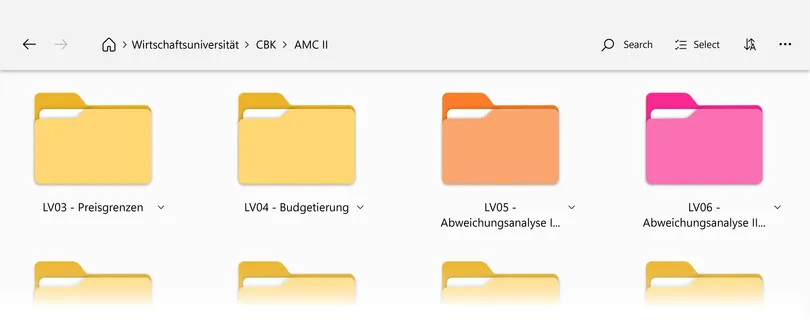
Organization
A library to keep your notes organized
With Noteastic you have the chance to build your personal knowledge base. Take this opportunity and structure your notes in the library!
Testimonials
See what others have to say!
"Sent from the heavens above! – I've been desperately looking for a note taking app that allows me to write on downloaded PDFs without the page sliding around. This app is AMAZING!"
"First of all, I want to start this off by congratulating you guys on making a note taking app for windows that doesn't completely suck, which is something that was really severely needed... Seriously, kudos to you guys!"
"This is by far the best handwriting app I've used for Windows. Surface users have been struggling without a good app for far too long."
"I have used so many note taking apps on Windows paid or free, and this is the best one so far. It's really smooth in writing and with pdf documents and easy to use over all. On top of that, it's free!!! I would not be mad if you made it one time paid because your effort deserves it."
Community
Share your wishes and ideas with us!
Without you, we don't know what features to develop.


FAQ
Frequently asked questions
-
Is Noteastic really free?
Yes! Noteastic is completely free to download and use. We are building features for a Noteastic Pro version, but all core functionality of handwritten notes, PDF annotation, library organization, etc. is and stays free.
-
What devices and Windows versions does Noteastic support?
Noteastic works on Windows 11 on both x64 and ARM devices. It's optimized for 2-in-1 laptops and tablets with MPP 2.0+ stylus support (like Microsoft Surface), but also works great with external drawing tablets from Wacom® or Huion®.
-
How is Noteastic different from OneNote or Goodnotes?
Noteastic is developed specifically for Windows and is therefore less laggy and more reliable than other apps. Noteastic handles PDF imports, annotation and exports without problems, because the app works with pages instead of an infinite canvas.
-
Can I annotate PDFs in Noteastic?
Absolutely! You can import lecture slides, textbooks, or worksheets as PDFs and annotate them directly. Each PDF page becomes an editable page in your notebook. You can add handwritten notes, highlights, shapes, etc. Then you can easily export everything back as a single annotated PDF.
-
Does Noteastic have cloud sync or backup?
Currently, Noteastic stores all notes locally on your device, giving you full control and offline access. You can manually create backups anytime from Settings.
-
Can I add text boxes and typed text to my notes?
Text boxes are coming in Noteastic Pro! For now, Noteastic focuses on handwritten input—but we're building typed text support as one of the flagship Pro features based on many users requests.
-
Can I use Noteastic without a stylus or pen?
Currently you can not draw with your finger. You need a stylus, a drawing pad or a mouse to draw an ink stroke. However, we are working to make this possible.
-
How do I organize my notes in Noteastic?
Use the Library to create folders and notebooks. You can organize by subject, semester, or project—just like physical binders. Name your notebooks, assign tag colors, and use folders to build your personal knowledge base. Everything is searchable by name.
-
Can I export and share my notes?
Yes! You can export individual pages, selections of pages, or entire notebooks as PDFs. You can choose to include or exclude grid backgrounds in your export. Exported PDFs can be shared via email, cloud storage, or any platform you use.
-
Does Noteastic work offline?
Yes, completely! All your notes are stored locally on your device, so you can create, edit, and access them anytime—even without an internet connection.
-
Can I draw straight lines and perfect shapes?
Yes! Use the Line tool for straight lines (with optional arrows) and the Shape tool for perfect circles, rectangles, triangles, and more. We're also developing "hold-to-straight" functionality, where holding your stylus after drawing automatically converts hand-drawn shapes into perfect ones.
-
Can I use Noteastic on multiple devices?
Currently, each device has its own local library. Multi-device sync via cloud is planned for the future of Noteastic Pro, allowing you to work seamlessly across all your Windows devices.
-
What's coming in Noteastic Pro?
Based on users feedback, Noteastic Pro will include everything that goes beyond basic note-taking, like: text boxes, shape recognition, multi-window support, covers for notebooks, toolbar customization, bookmarks, handwritten-to-text conversion and more.
-
Is Noteastic good for university lectures and study notes?
That's exactly what it is built for! We made Noteastic specifically for lecture notes, slide annotations, study summaries, and exam prep. Import lecture PDFs, take handwritten notes on them, organize by course, and build your study library course after course!
-
Will there be a student discount for Noteastic Pro?
We're committed to keeping Noteastic affordable for students. When we launch Noteastic Pro, we plan to offer student pricing, though we're still finalizing the details. For now, Noteastic is simply free!
-
Why can't I import my PDF? It says "Invalid file."
If you're encountering PDF import errors, try these steps: 1) Make sure you're using the latest version of Noteastic from the Microsoft Store, 2) Check that your PDF isn't password-protected or corrupted, 3) Try re-saving the PDF in a different app first. If issues persist, contact us at contact@noteastic.app.
-
Where are my Noteastic files stored on my computer?
Noteastic stores your notes in a protected app folder for security and stability. You can't browse them as individual files (they're in a database), but you can create complete backups anytime from Settings > Backup, which exports everything as a .ntcbak file you can store anywhere.
-
How can I request a feature or report a bug?
We love hearing from you! Send feedback directly in the app (Settings > Feedback), join our community on Reddit at r/Noteastic, or email us at contact@noteastic.app. We read every message and all of our features come straight from user requests!
-
Is Noteastic open to the public or still in development?
Noteastic is fully released and available on the Microsoft Store! We're actively developing new features based on users feedback. We ship updates regularly while keeping the core experience stable.
-
Can I join the Noteastic team?
If you think you can bring value to our goal of providing the best application for handwritten note-taking on Windows, we are more than thrilled to hear from you! Simply send Dilan or Lukas an email via dilan.boskan@noteastic.app or lukas.koinig@noteastic.app.